Hostinger payments,
simplified.
Hosting purchase on Hostinger using Malawian Kwacha (MWK) or Kenyan Shillings (KES) via Mobile Money.
Three steps. One checkout.
The extension sits on Hostinger's payment page and handles the whole conversion path for you.
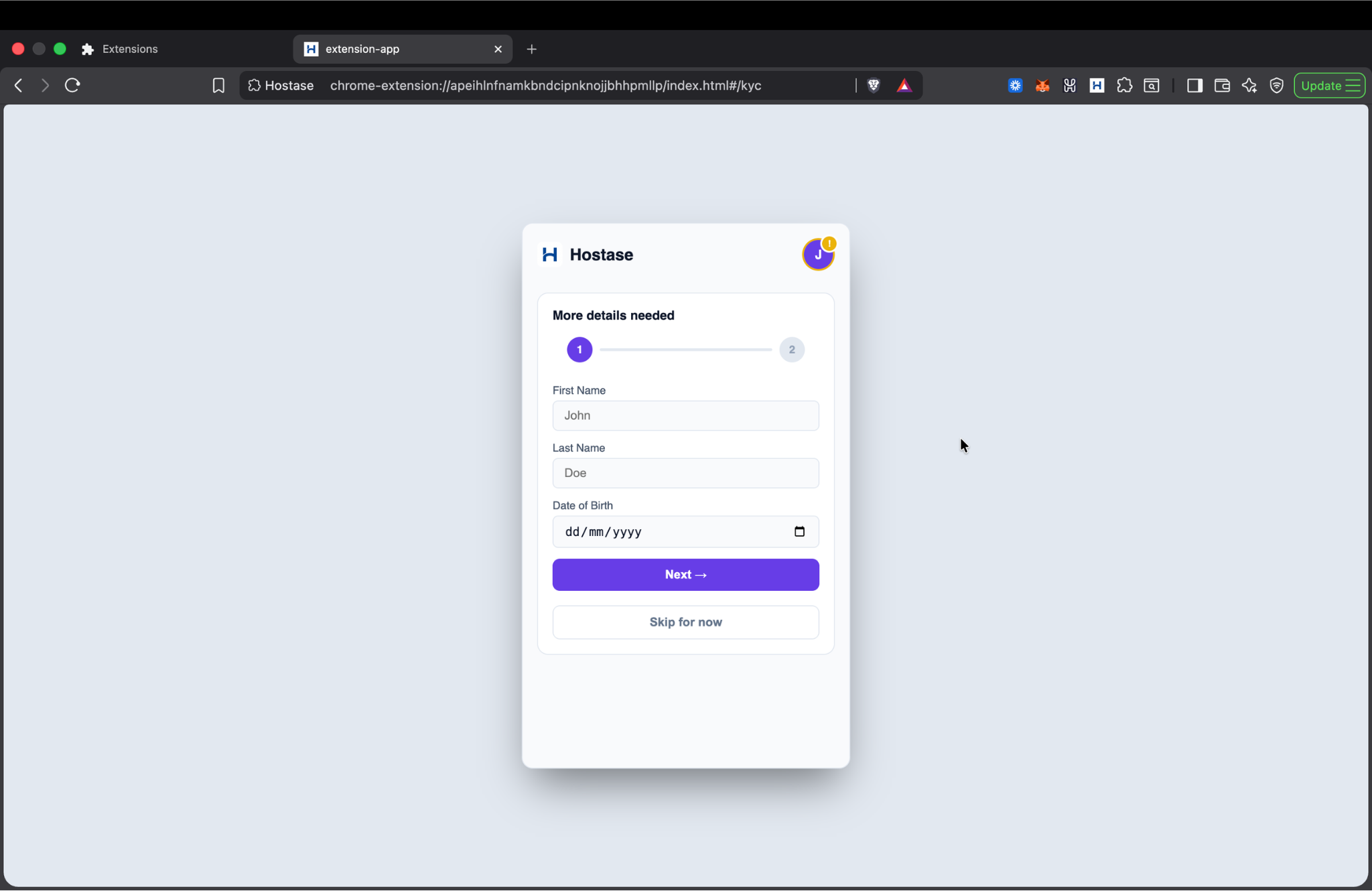
One-time KYC
Register your details and Mobile Money network securely in the extension just once.
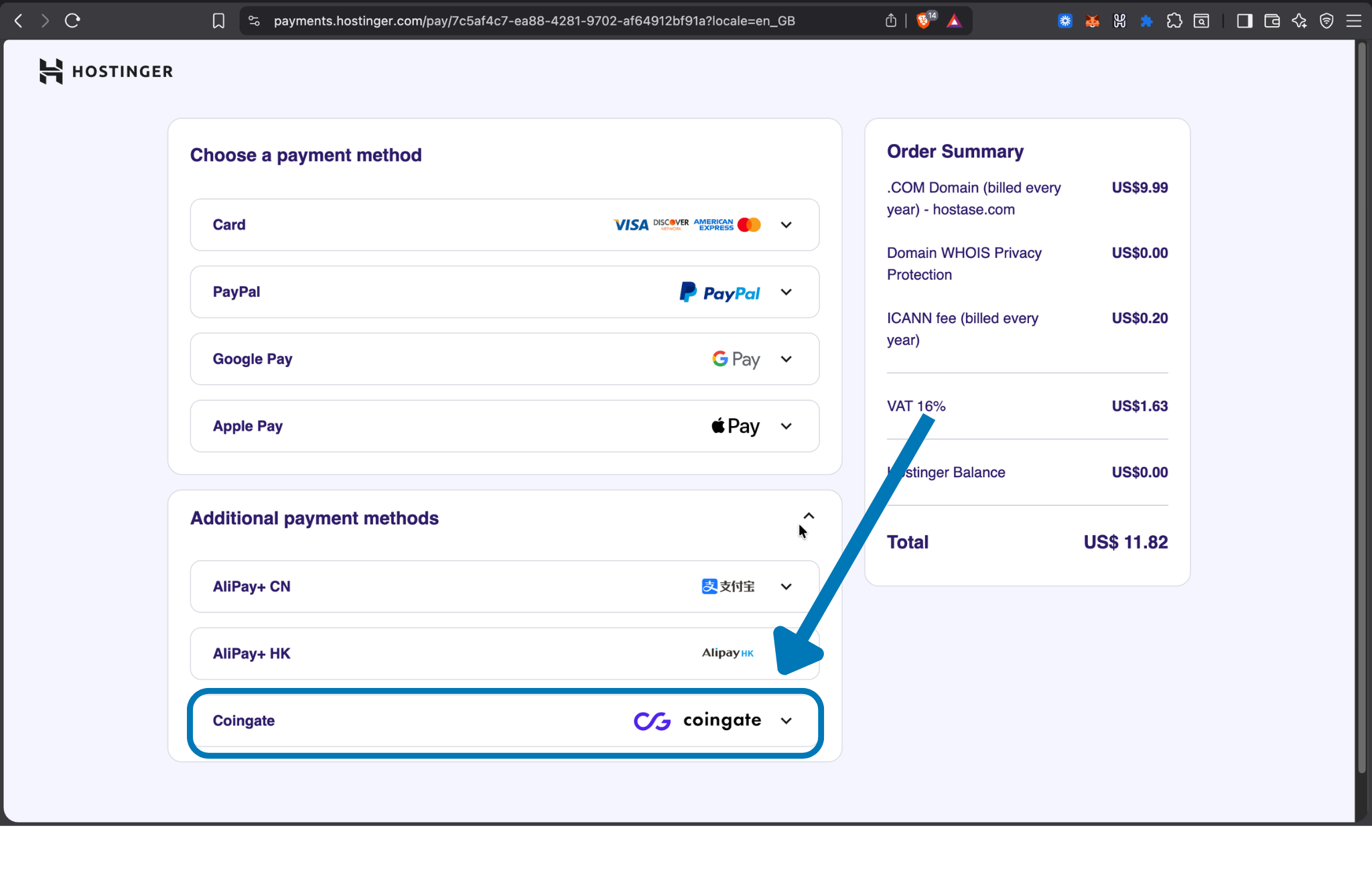
Auto-Detection
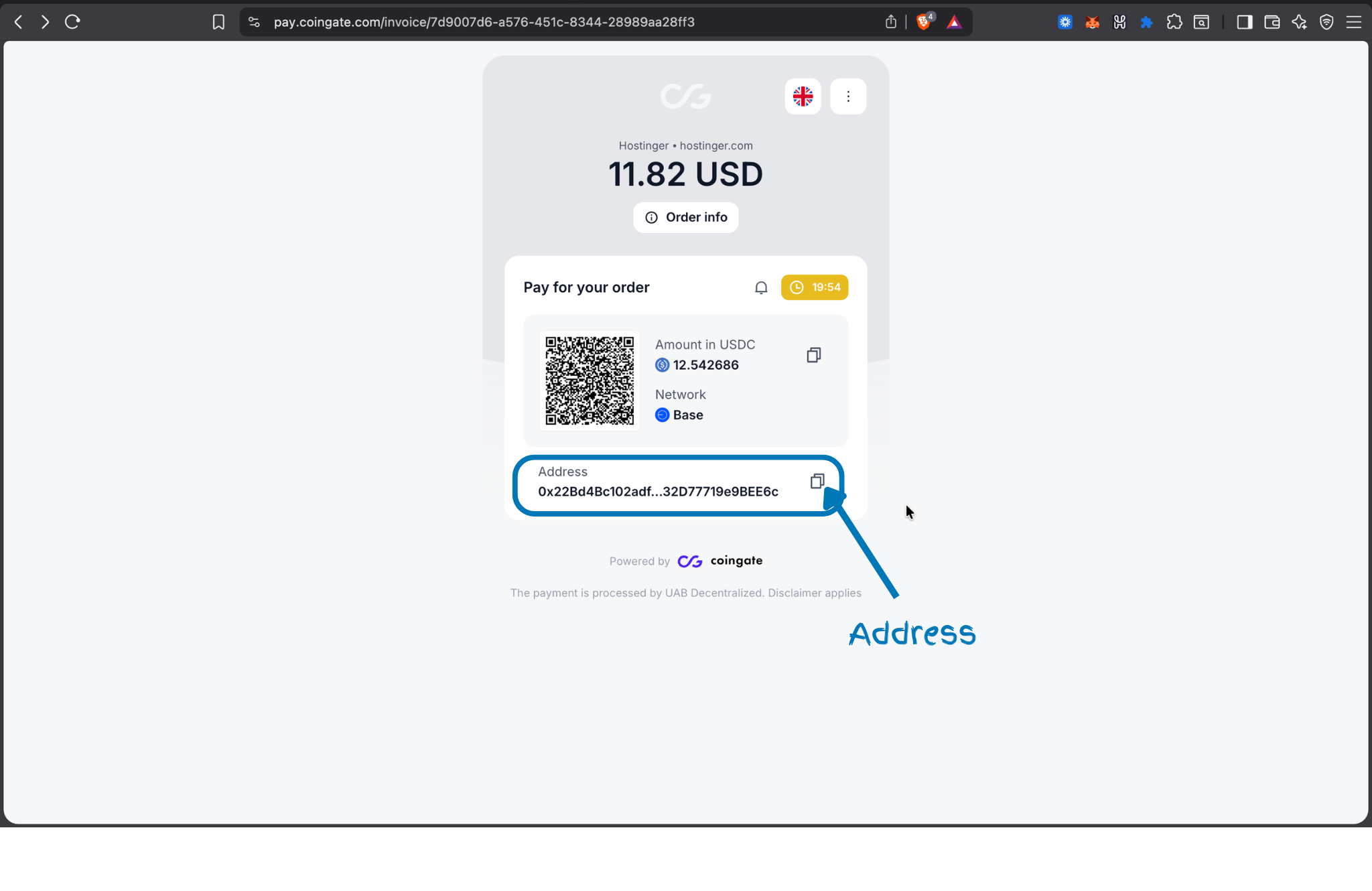
Choose CoinGate at Hostinger checkout. The extension automatically detects the exact amount, just copy the address given.
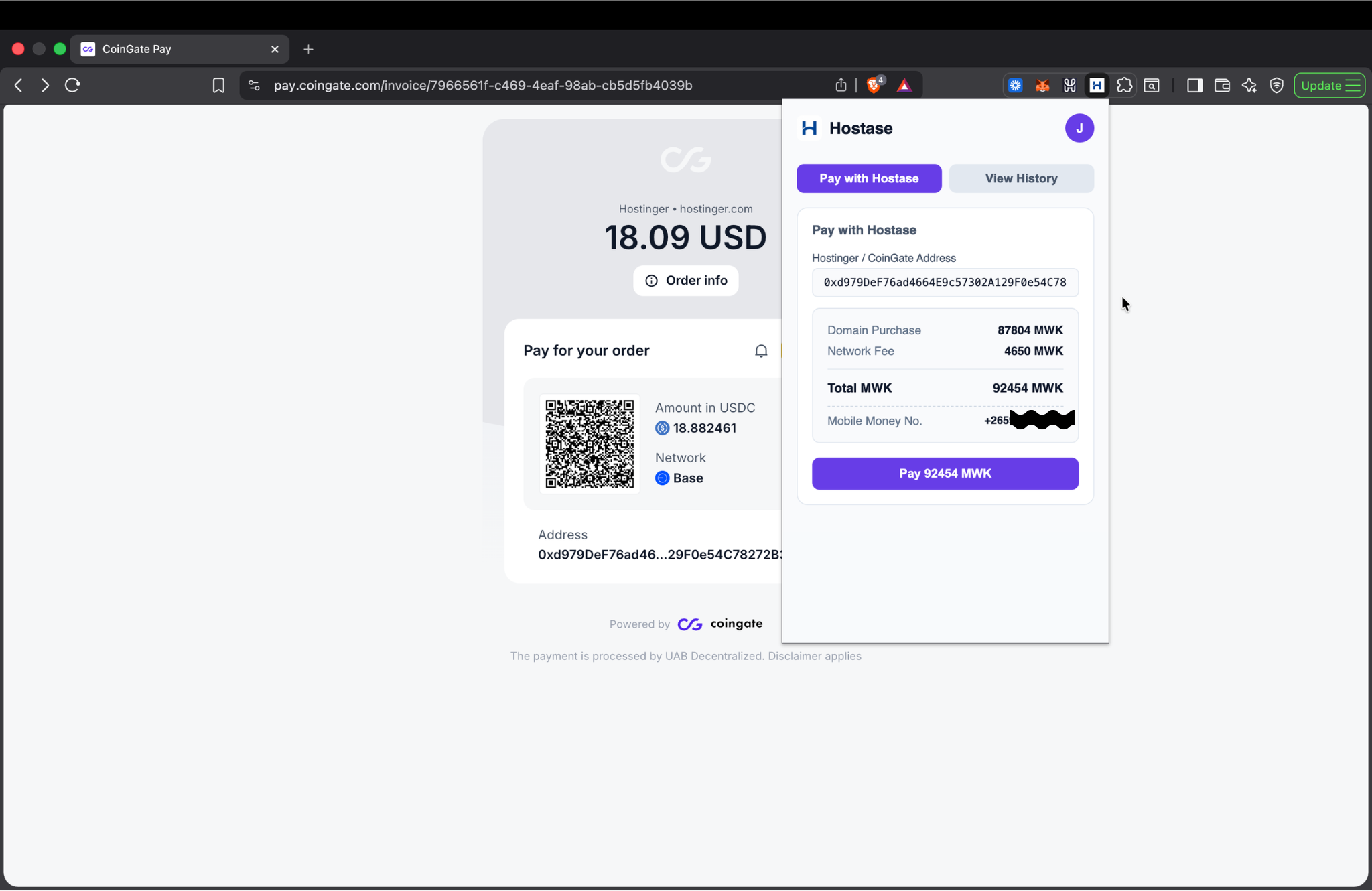
Pay with Mobile Money
Open the extension, paste the address and click pay. You'll receive a prompt on your phone to instantly confirm the payment.
Watch the demo
See how Hostase works from checkout to mobile money payment in under two minutes.
Download the extension
Grab the latest build from the release page.
Open the Extensions page
Open a new tab and paste one of them in the URL bar.
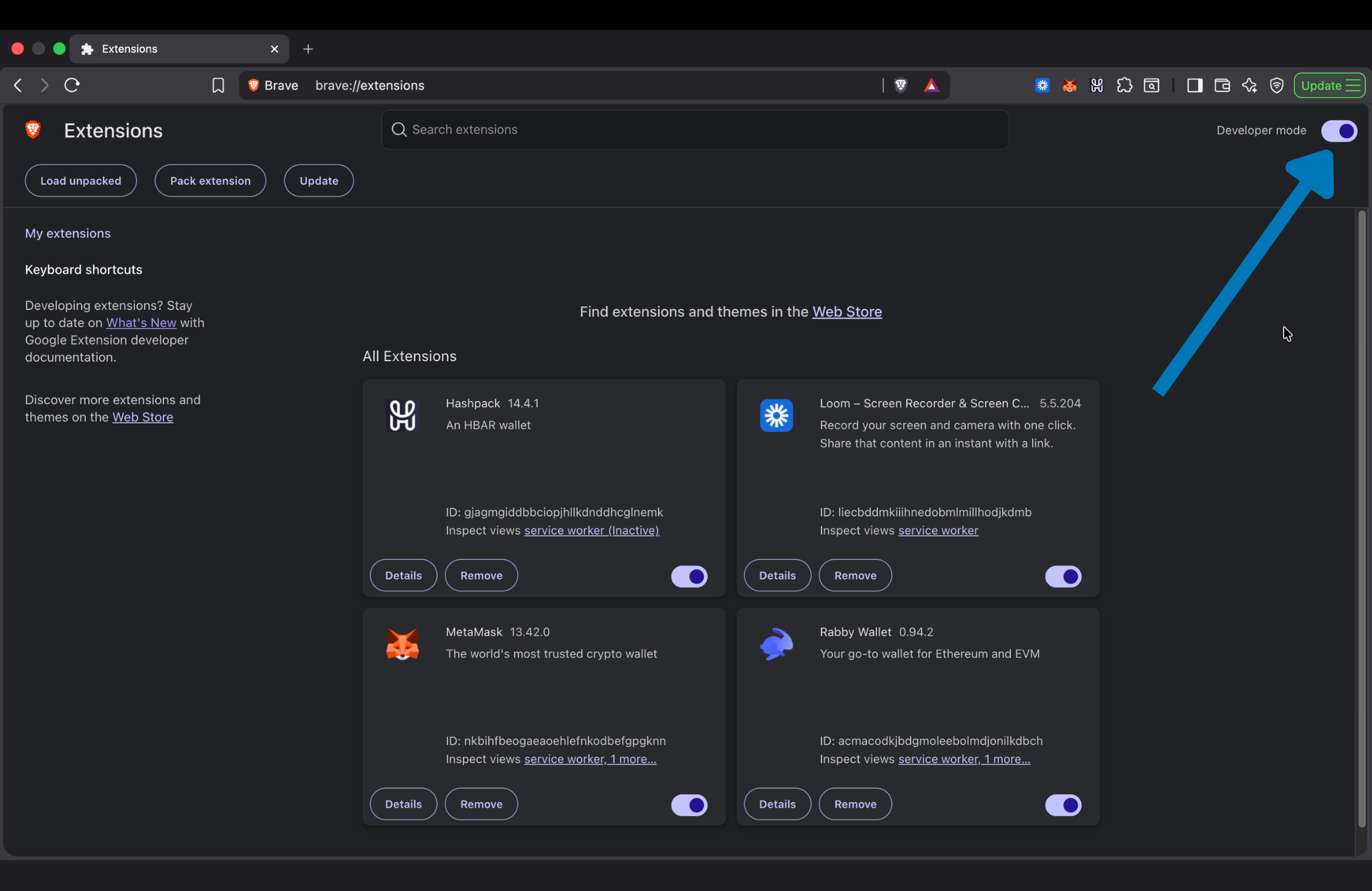
Enable Developer Mode
Toggle it on in the top-right corner.
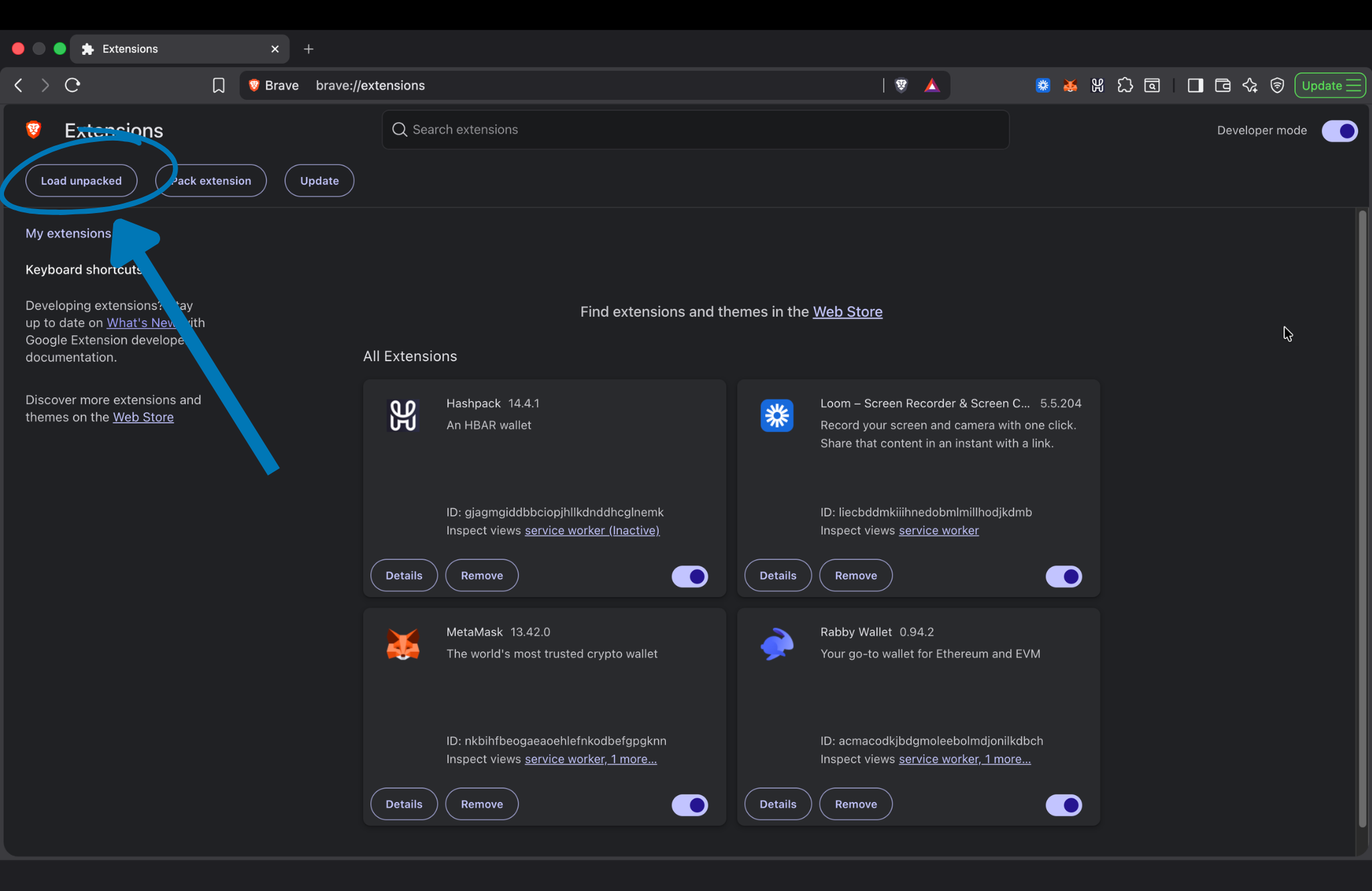
Load Unpacked
Click the Load unpacked button and select the extension folder (if it extracted as hostase-extension/extension, make sure to select the inner extension folder).
⚠️ Note: You must unzip/extract the downloaded .zip file before loading it!
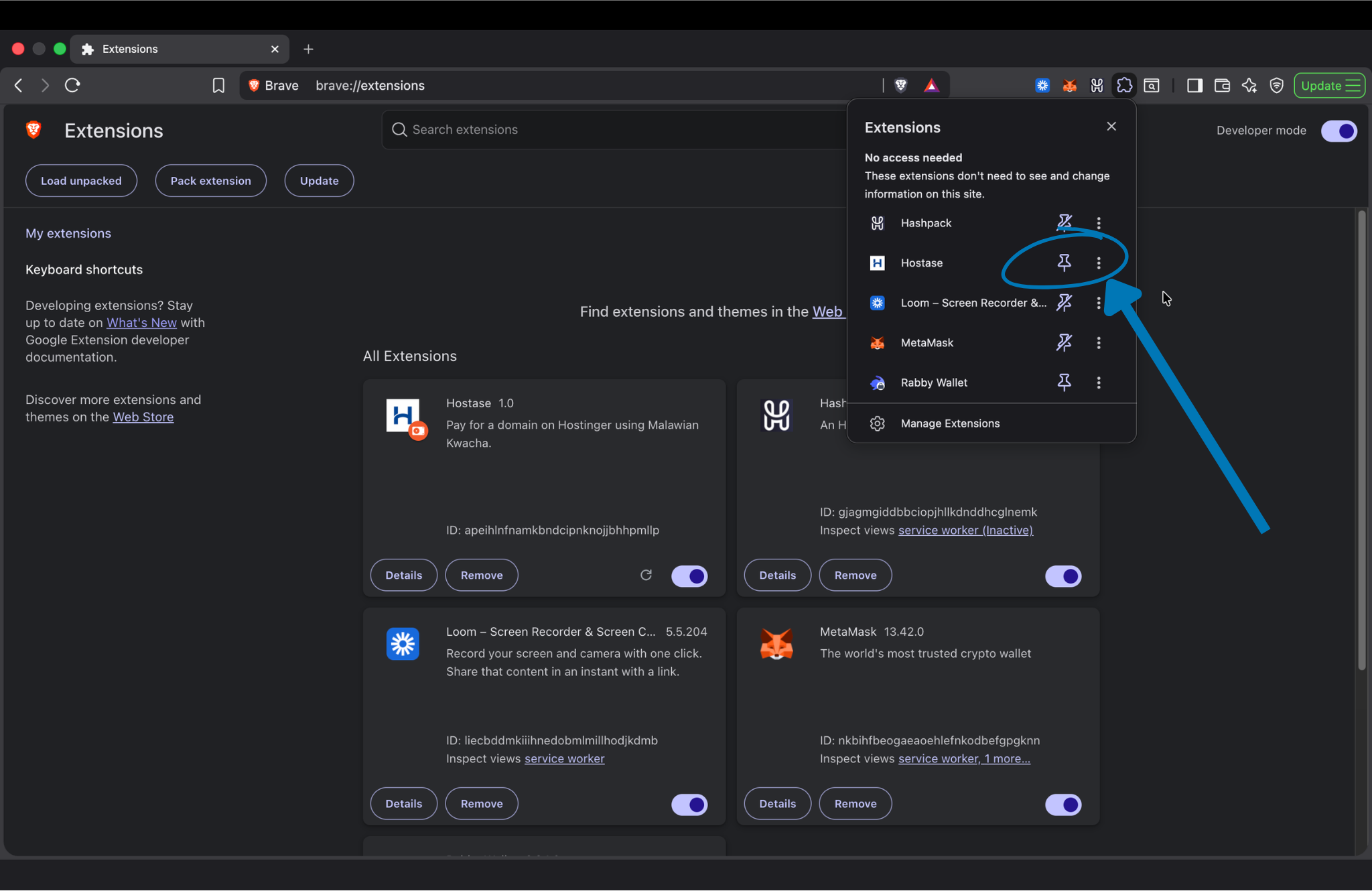
Pin it
Pin the extension so it's one click away on checkout.
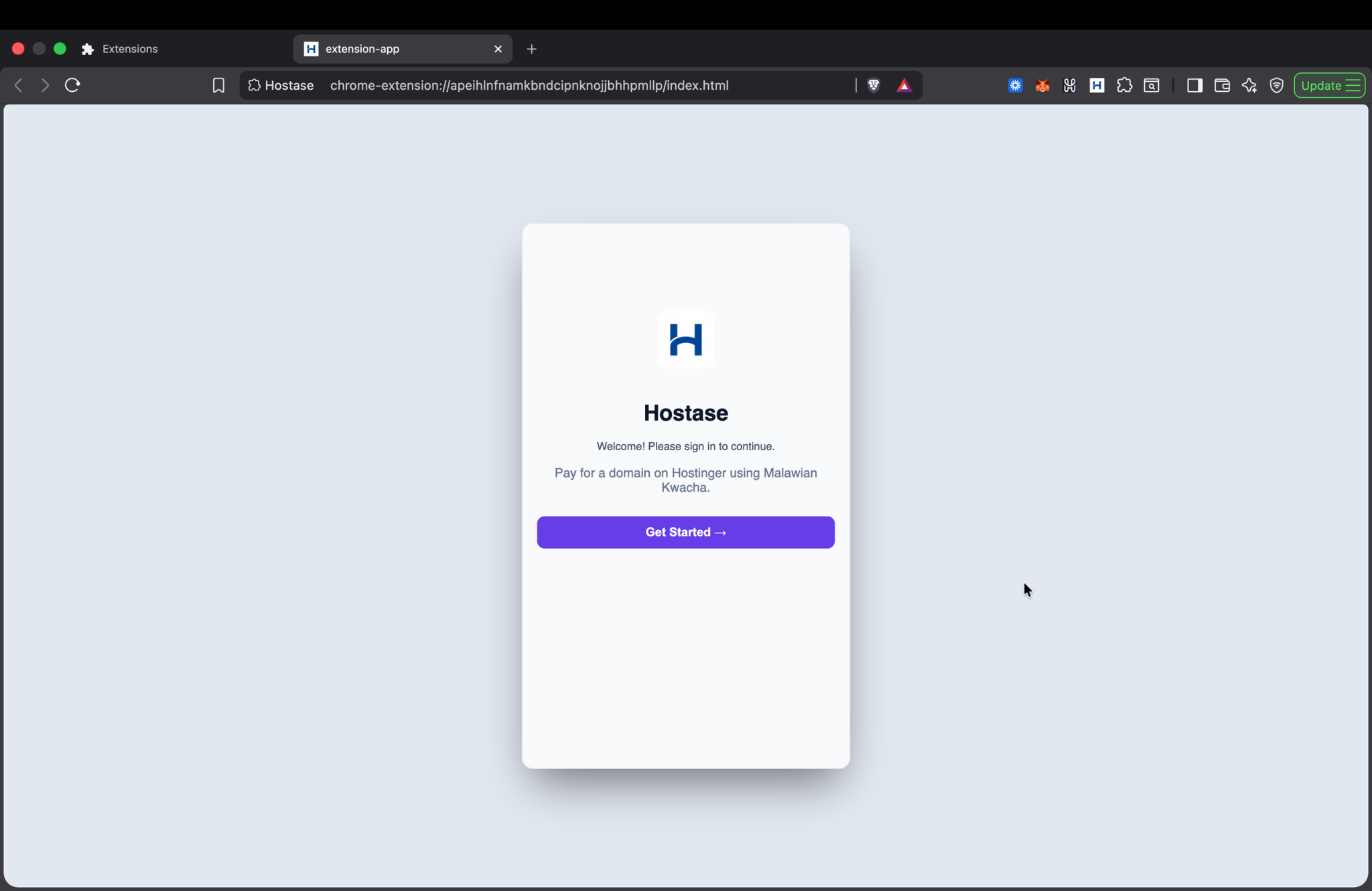
Sign in
Open the extention and sign in with your email.
Complete profile details.
Complete your profile details.